
Download
(i) Download game package (.apk format)
(ii) How to install and run it in the Android emulator
1) Preparation
Setup JAVA SDK
Download Eclipse IDE
2) Setup the IDE for Android SDK
Downloading the Android SDK Starter Package
3) Installing the ADT Pluginfor Eclipse
4) Adding Platformsand Other Components
5) Create and launch the emulator (Virtual Android device)
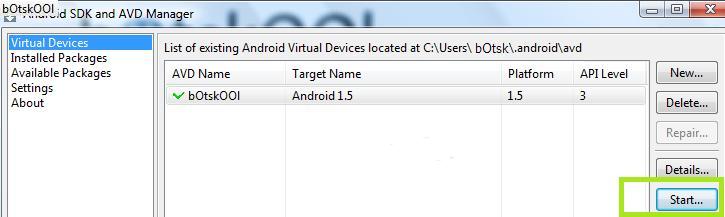
After a few minutes a virtual Android shall boot up and then observe the desktop view, as shown in the picture. Press on menu button and you will find that the applications are arranged in a grid view.
6) Copy .APK files
Now, manually copy and paste the .apk file to the destination folder "C:\android-sdk-windows\tools\".
7) Run adb command:
Go to Start>>run>>cmd (open a windows command prompt or shell) and type the following commands
cd c:\android-sdk-windows\tools\
adb install (filename).apk