Use Weka to do [Witten11] Exercises 17.1.3 and 17.1.10. You may refer to Chapter 10 for a more detailed introduction to Weka.
The Dataset Editor
After loading the data in the preprocess panel, we can inspect or change the data using the dataset editor.
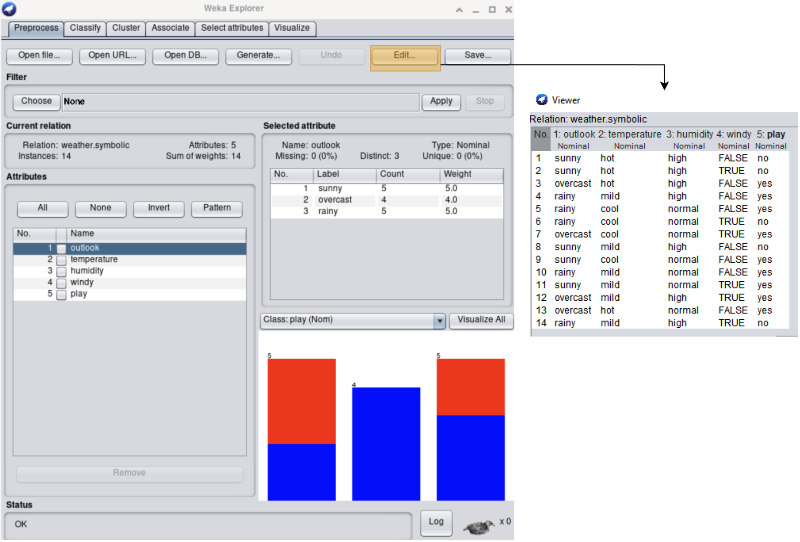
YOUR ANSWER HERE
YOUR ANSWER HERE
YOUR ANSWER HERE
Applying a Filter
We can also modify the data using filters. After selecting a filter, we can left-click the filter to change its configuration or right-click the filter configuration in Weka to copy the configuration to the clipboard.
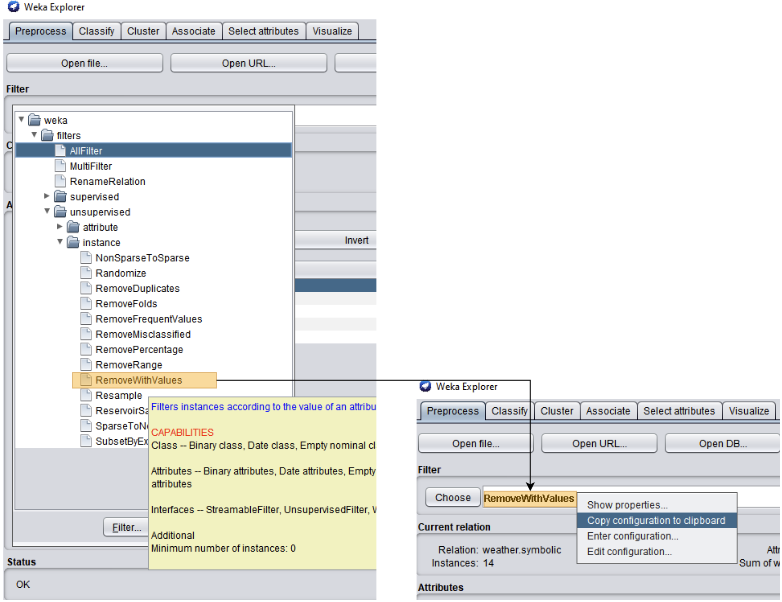
Give the configuration of the filter of interest. E.g., the following is the default configuration for the RemoveWithValues filter:
weka.filters.unsupervised.instance.RemoveWithValues -S 0.0 -C last -L first-lastYOUR ANSWER HERE
The Classify Panel
To train a classifier, use the classify panel to select a classification algorithm and start the training.
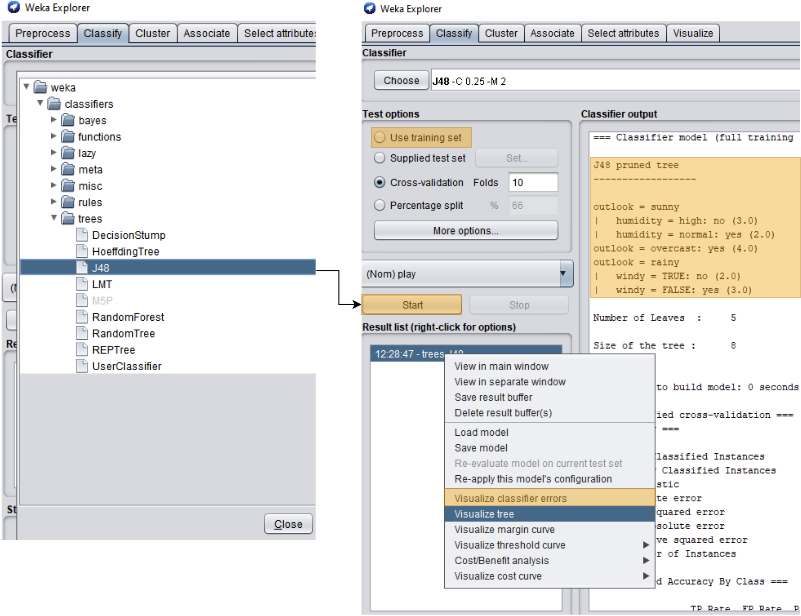
- The default test options use 10-fold cross-validation but we can choose to
- use the training set for testing,
- supply a separate dataset for testing, or
- use only a specified percentage of the original data for training and holdout the remaining data for testing.
- We can right-click the result in the result list to visualize the classifier errors.
- For decision tree classifier, we can sometimes visualize the tree in addition to its text representation from the Classifier output.
YOUR ANSWER HERE
YOUR ANSWER HERE
YOUR ANSWER HERE