|
|
|
|
Project: Visualizing HSV/HSL Color Model
Introduction:
The
HSV color space model which represents the 24 bit colors in Hue,
Saturation and Value (almost lightness), attempts to arrange the
colors in a more virtually appropriate modeling [i].
This project attempts to create a program to map the RGB values into a three dimensional representation using the covered HSV value via a mathematical function.
The Color Model:
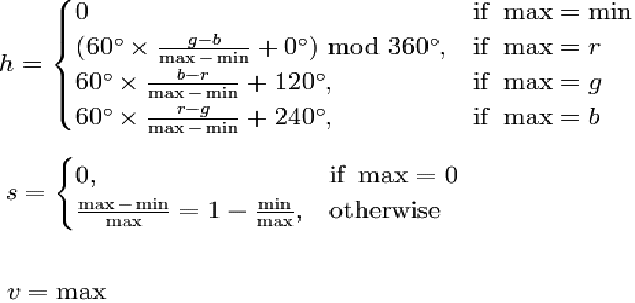
Below is the calculation for
converting the 3D RGB cubic model to the HSV color model in the
numeric way. The HSL works similar [i].
The
Cone:
The
H,S and V (or value) could be seen with this relation [iii]:

Note that the Hue value is between 0 and 360 in degree rotated along the axis and the Saturation is the distance from the axis while the Value is a value along the axis where the axis is extended from H:0,S:0,V:0.
Building
the model:
Within the program, I perform a loop which convert each and single coordinate of RGB cubic space into the HSV/HSL space:
for (float i = 0; i <= 256; i += 16){
for (float j = 0; j <= 255; j+=16){
for (float k = 0; k <= 256; k +=16){
point(i,j,k);
}}}
where
point i,j,k was transform to HSV/HSL value and shift to the location
based on this mathematic conversion:
X => S * Cos H
Y => S * Sin H
Z => Value
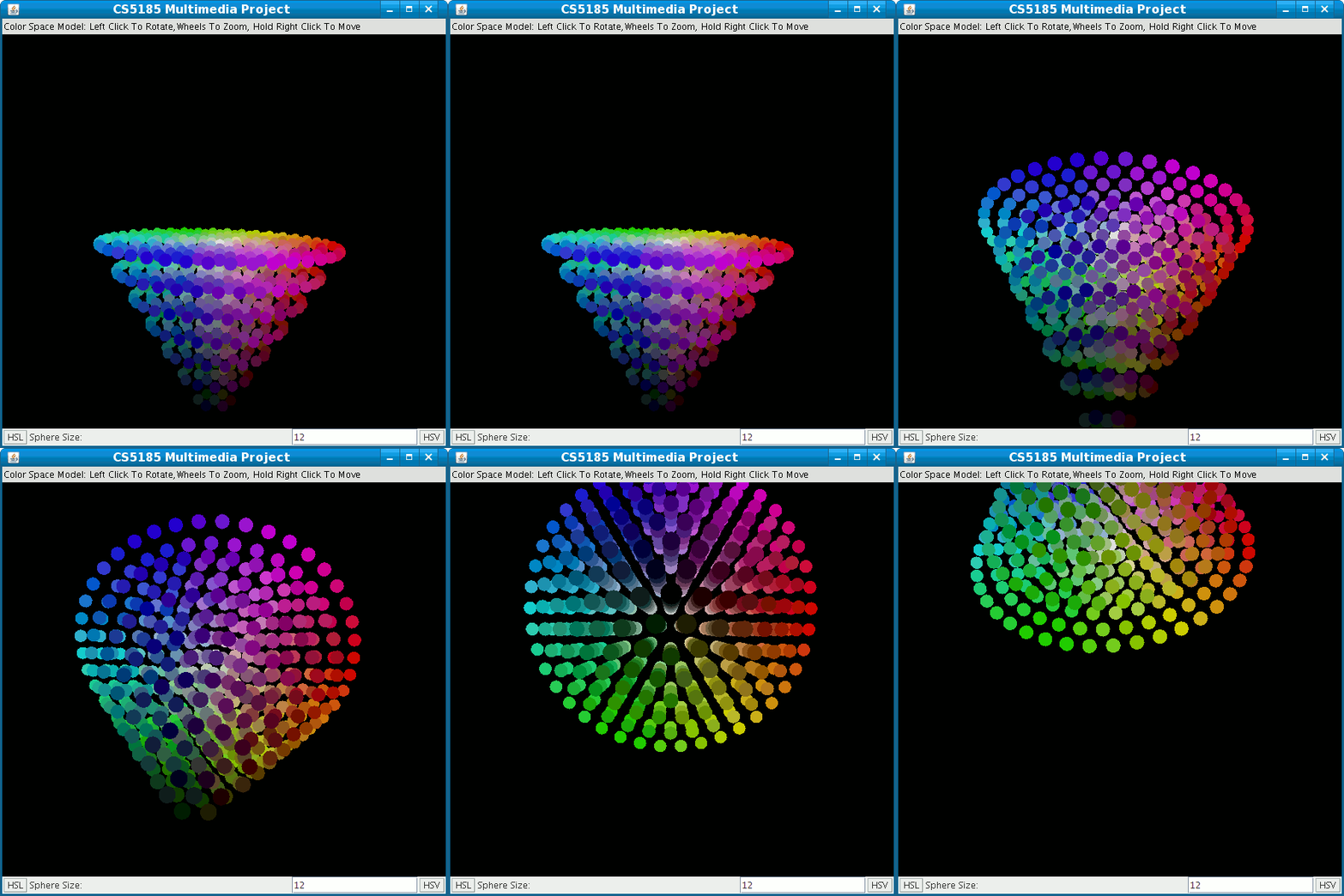
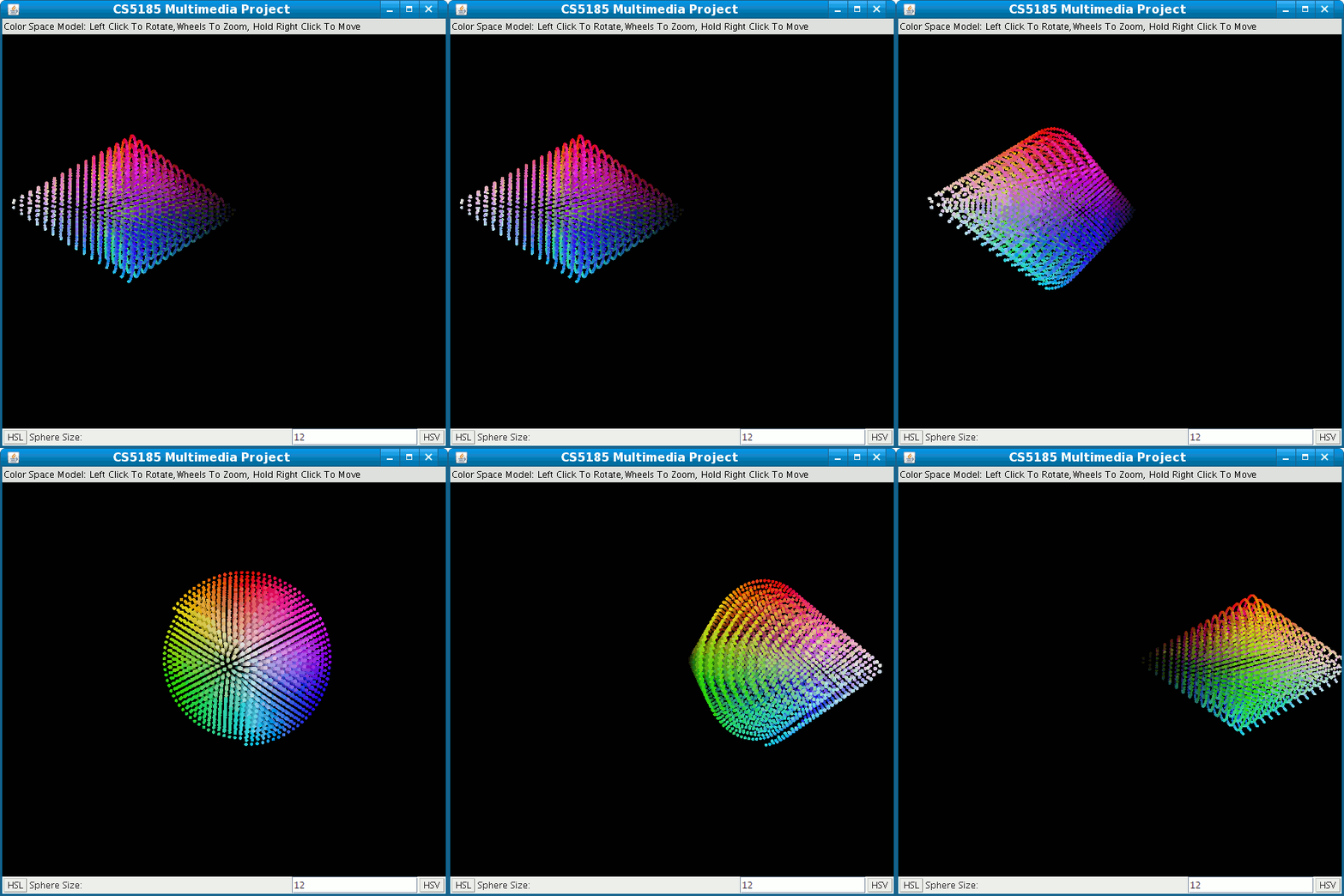
The conversion eventually creates the color models:
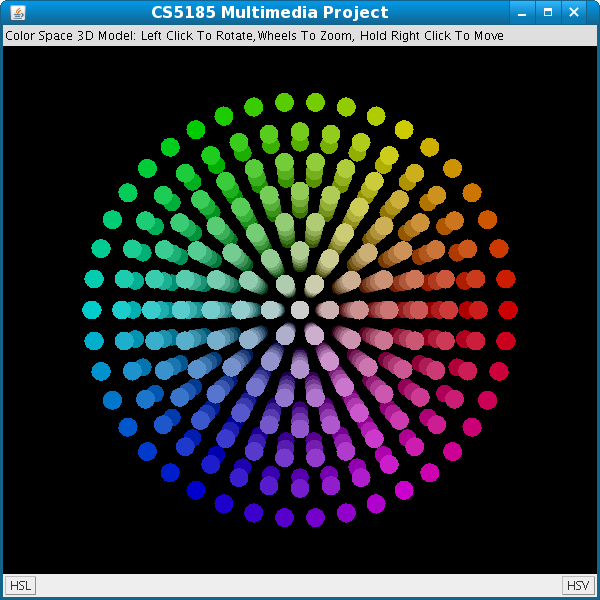 |
 |
| HSV Color Model | HSL Color Model |
Extension
Feature:
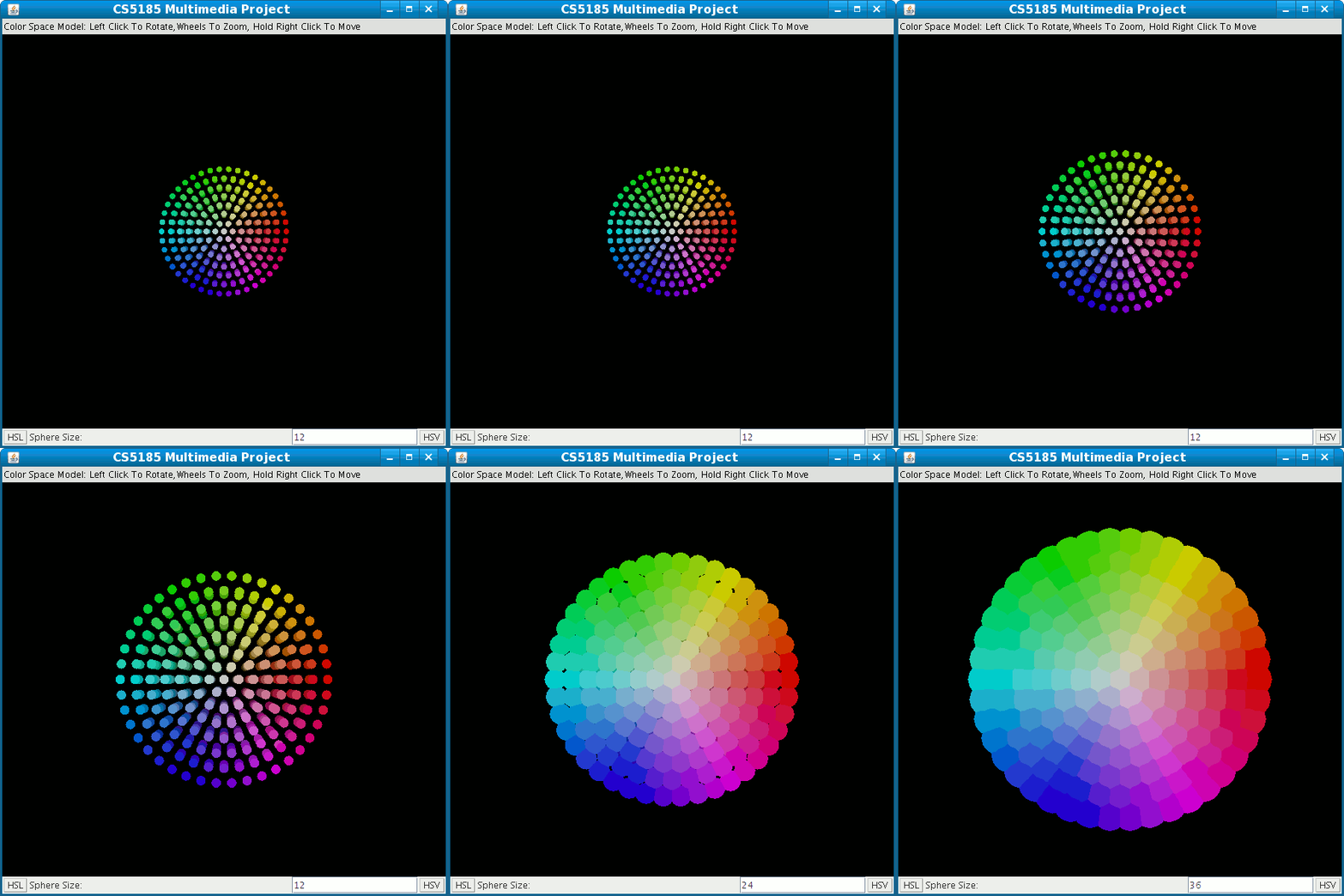
During my presentation of the program during the last lecture, Dr. Leung suggested that the program could make the user's job easier by having an input box specifying the size of the sphere. This is the eventual product:

In
between the original buttons, the “Sphere Size” label was added
together with a Text Field. The number within the text field is the
size of the sphere. The user specifies the size of the sphere in the
text field and clicks on the HSV or HSL button to see the modified
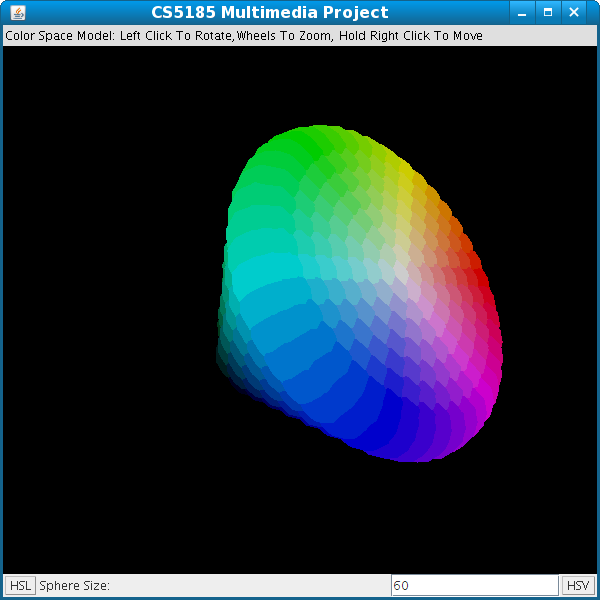
model (default is 12). For instance, for a flatter view of the model,
I change the number to 60 and click on HSV and get the modified model
as below:
Conclusion:
By obtaining the correct HSV and HSL model, together with the enhancement, I am contented with the project for the purpose of learning (and playing). Even though the HSL double cone model looked a little bit weird.
How do you run this on your computer?
This program is developed with the Java3D [ii] environment which is currently not in the standard JRE. It can be installed by following this link.
However, due to the fact that cross platform running is filled of unexpected result, my suggestion is go through this tutorial first.
Good Luck.
References:
[i] - HSL and HSV , Wikipedia,
http://en.wikipedia.org/wiki/HSL_color_space
[ii] - Java3D, Sun Microsystem
http://java.sun.com/javase/technologies/desktop/java3d/
[iii] - The HSV Color Space , DaZiBao,
http://www.mandelbrot-dazibao.com/HSV/HSV.htm
[iv] - The problem with using Java's maths.cos(), DaniWeb, http://www.daniweb.com/forums/thread38605.html
[v] - Polar Coordinates, Wolffram Math Work
http://mathworld.wolfram.com/PolarCoordinates.html
[vi] - Lecture Material, Color Model, Slide 9